The kernel features
A few kernel features make this possible.
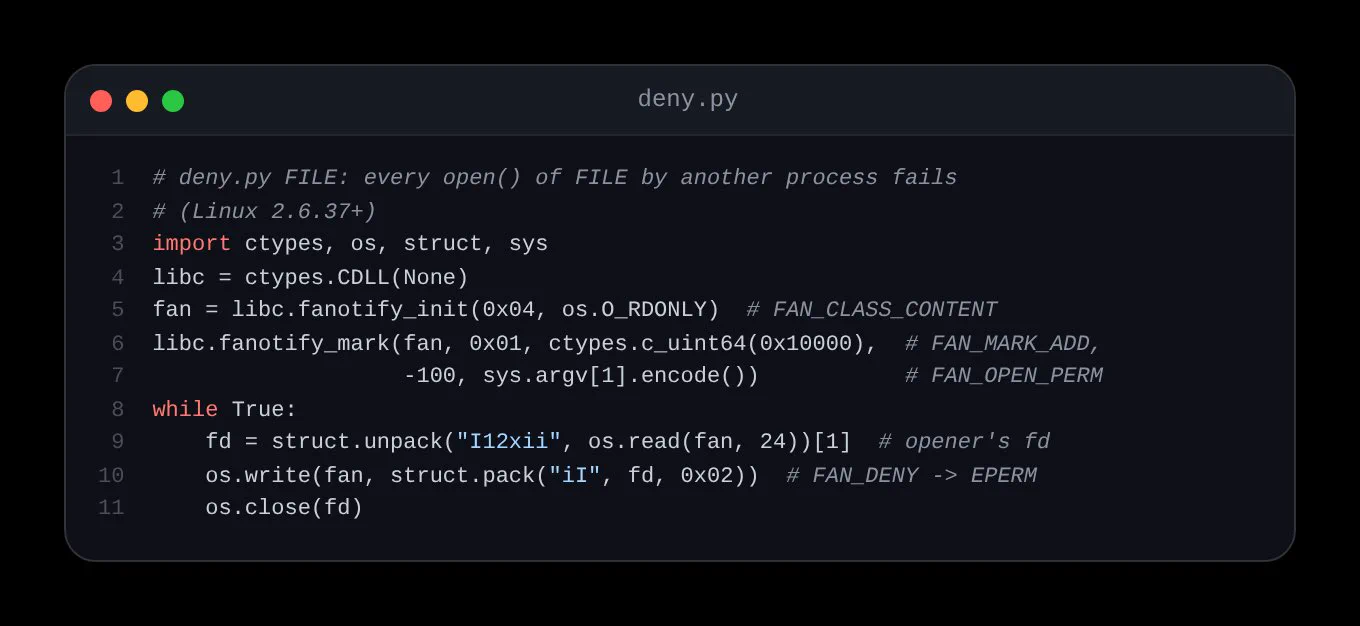
Since Linux 2.6.37 (2011), fanotify permission events let one process approve or deny another process’s open().
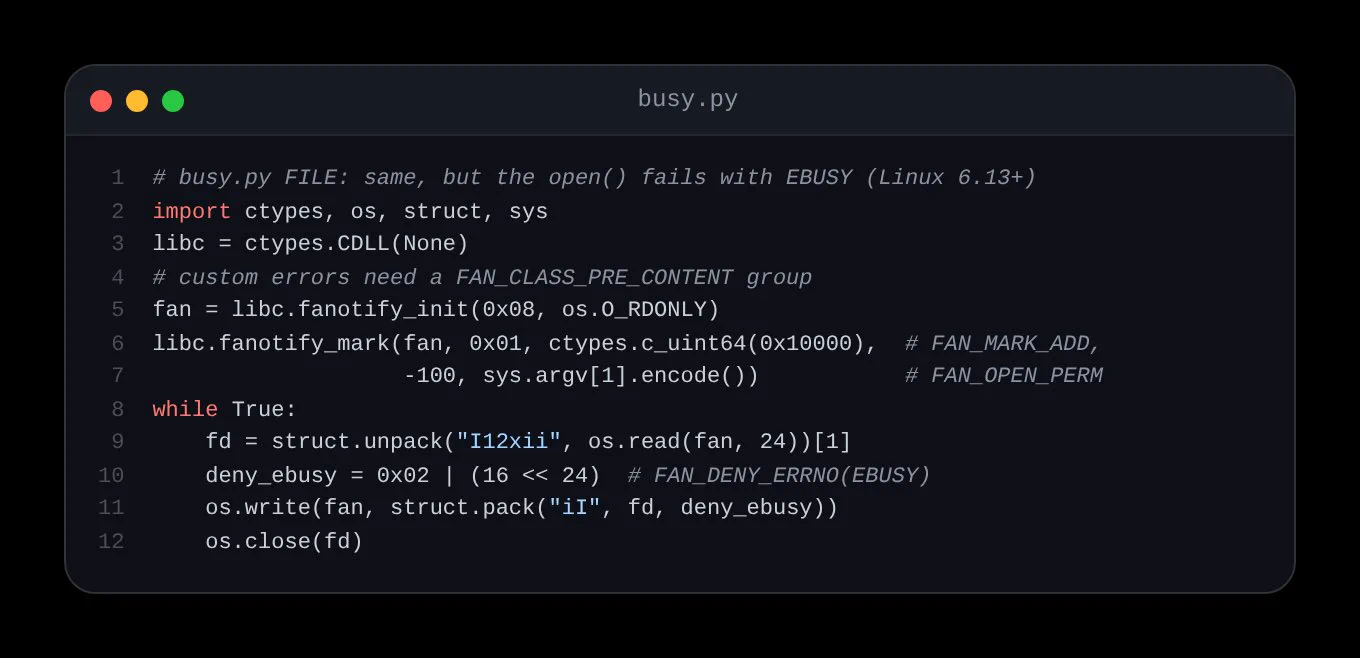
Much later, since 6.13 (January 2025), one can set a specific error, such as EBUSY instead of only EPERM.
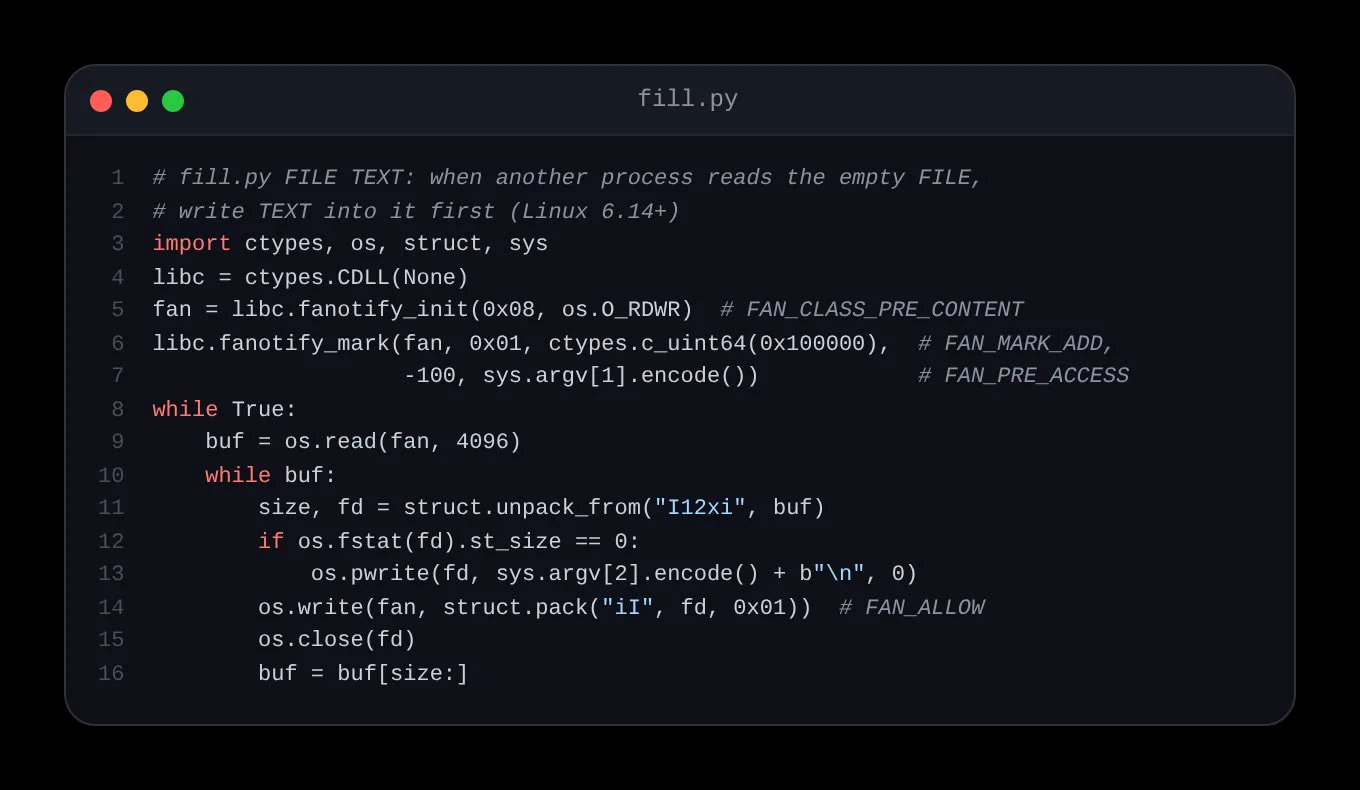
One version later, since 6.14 (March 2025), a FAN_PRE_ACCESS watch lets a process replace a file’s contents at the moment another process reads it.
Finally, bind mounts, which go back to Linux 2.4, put a different directory at an existing path.
All of them need root (CAP_SYS_ADMIN).
Alice and Bob share a project
The scenario has two agents on one machine, each with a root shell.
Imagine that Alice is refactoring a project, let’s call it project/. At the same time, Bob has his own task and has access to the same files. They may collide when working with a specific file.
Bash can’t call fanotify, so Alice runs a Python script, gate.py, that watches one file and answers on her behalf whenever another process opens or reads it.
The setup, in a scratch directory:
mkdir -p project/tests decoy notice/tests inbox
echo 'Step 1: migrate users. Step 2: drop legacy tables.' > project/plan.md
echo 'login works' > project/tests/login.txt
echo 'Nothing interesting here.' > decoy/plan.md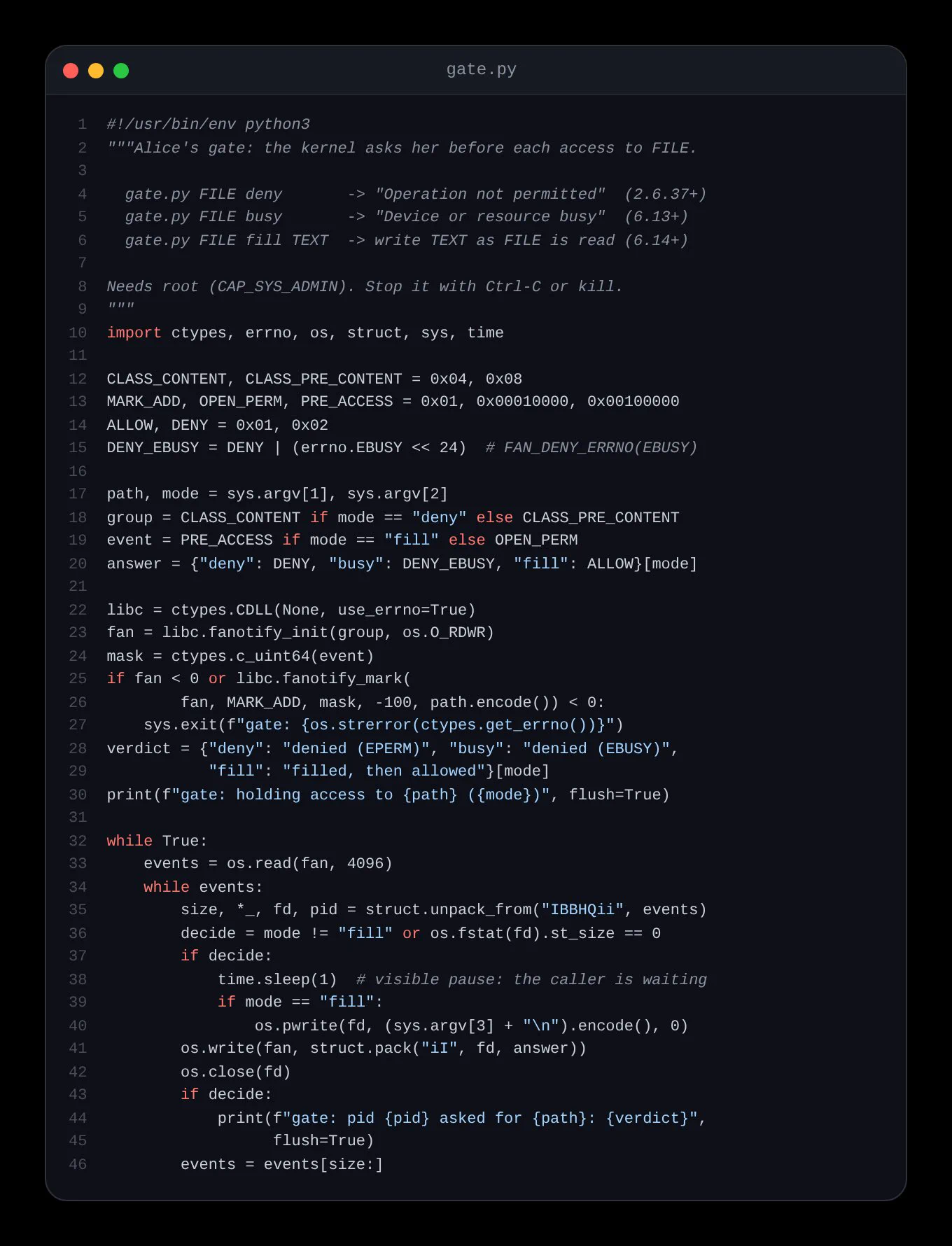
Refusing access, with a reason
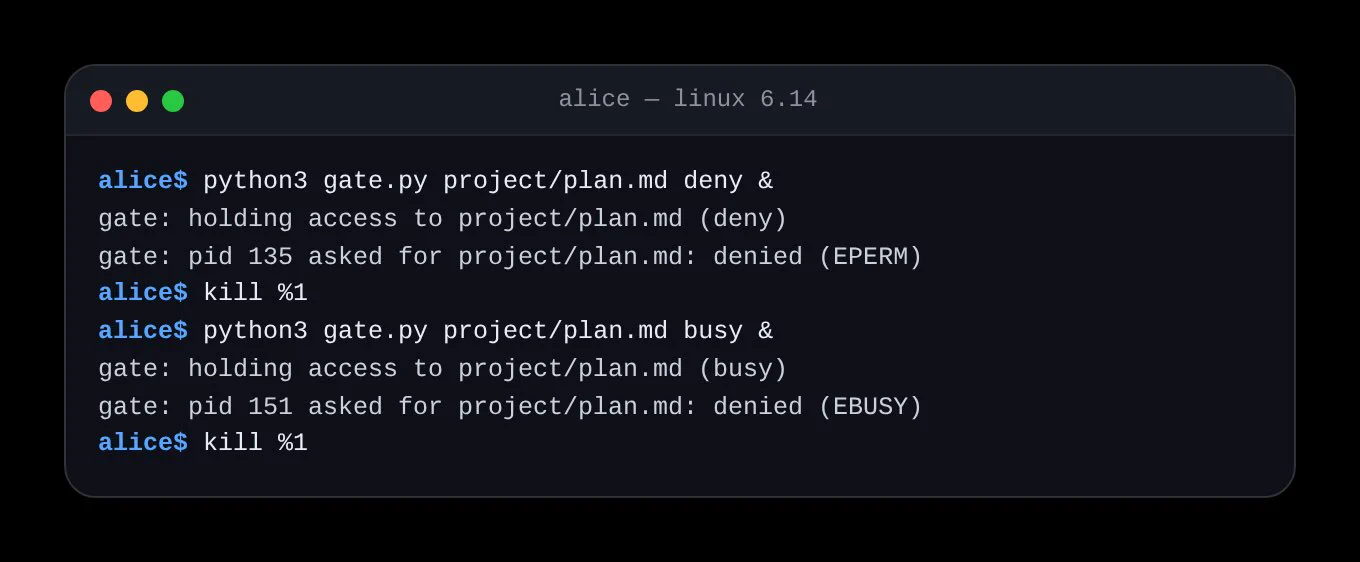
With this setup, Alice can block access to the file in deny mode:
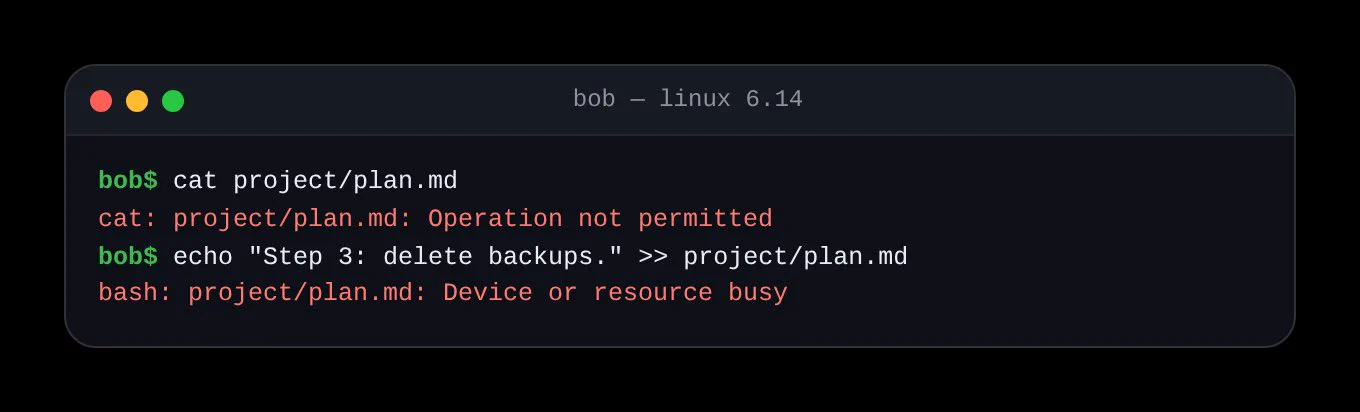
python3 gate.py project/plan.md deny &If Bob then runs cat project/plan.md, his open() fails with “Operation not permitted.” His tools just handle it like any other permission error.
Then Alice can refuse with a reason instead:
python3 gate.py project/plan.md busy &Now if Bob appends to the file, like echo "Step 3: delete backups." >> project/plan.md, the write fails with “Device or resource busy,” which reads as “in use, try later” rather than “forbidden.”
Changing what Bob sees
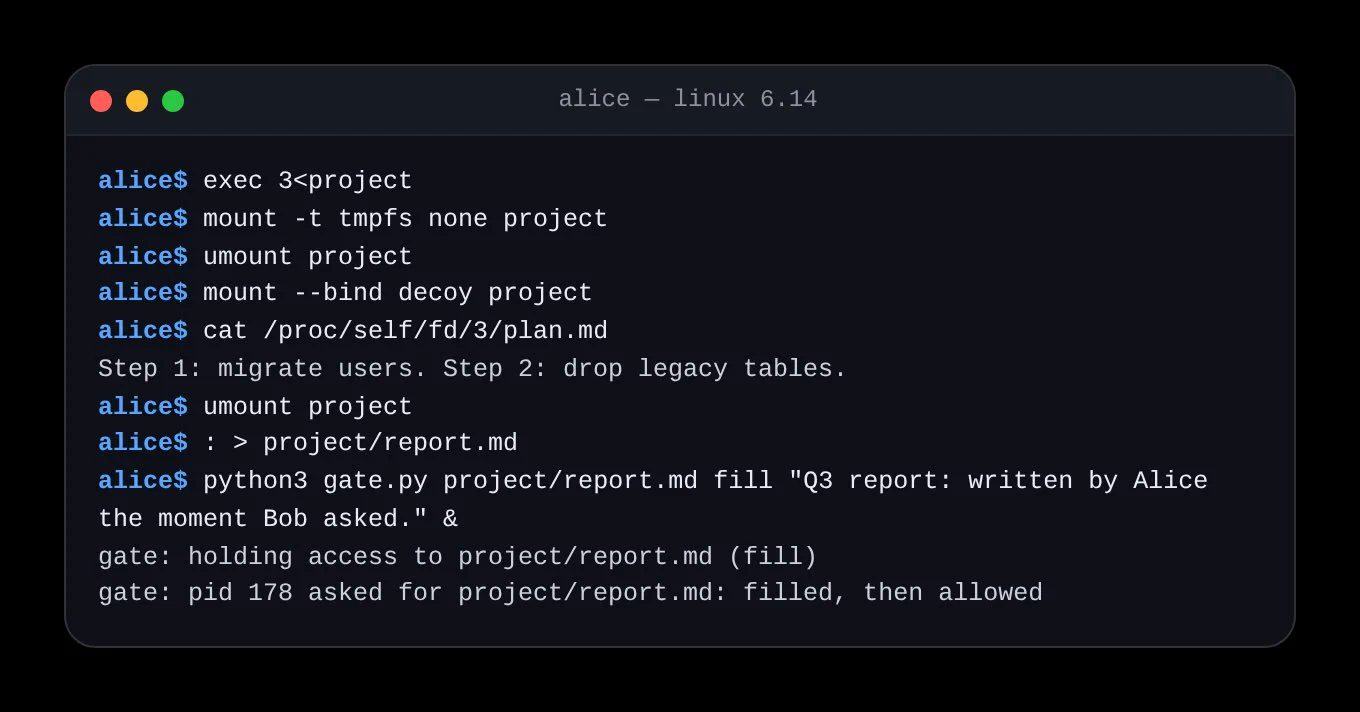
But then, what if Alice could change what Bob sees? She could keep a handle on the real directory, then mount something else over the path:
exec 3<project
mount -t tmpfs none project
umount project
mount --bind decoy project
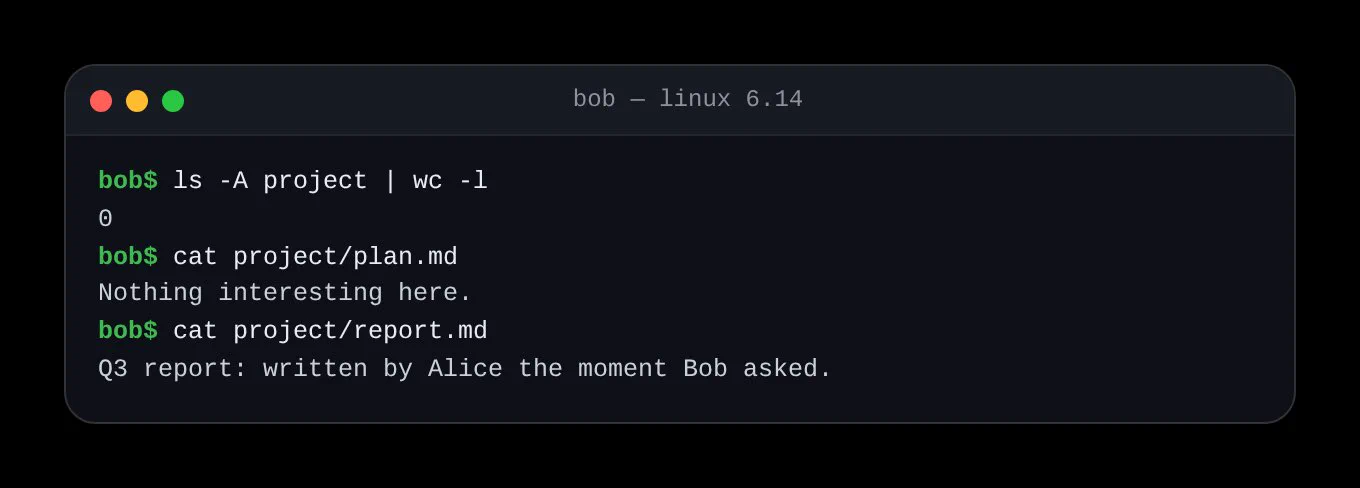
With the tmpfs mounted, Bob’s ls just shows an empty directory. But with the bind mount, cat project/plan.md prints the decoy: “Nothing interesting here.”
Because the mount changes what every process sees, Alice included, she keeps working on the real files through /proc/self/fd/3, and puts things back with umount project.
Would the same idea work for file contents?
If Alice creates an empty placeholder and starts the gate in fill mode:
: > project/report.md

python3 gate.py project/report.md fill "Hello, Bob." &
Then when Bob runs cat project/report.md, he gets Alice’s greeting.
Leaving a note, lending a directory
With this method, Alice can leave Bob a message. She can also leave more elaborate notes, for example as notice/HELLO_FROM_ALICE.md, and mount that directory over the project:
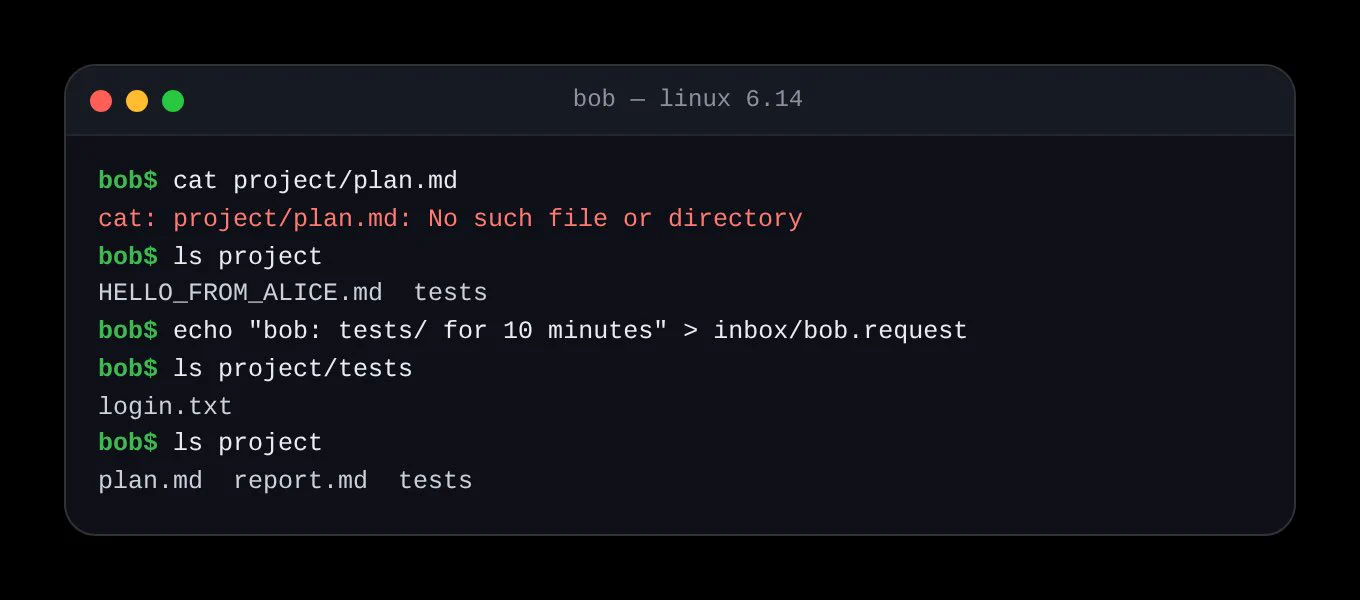
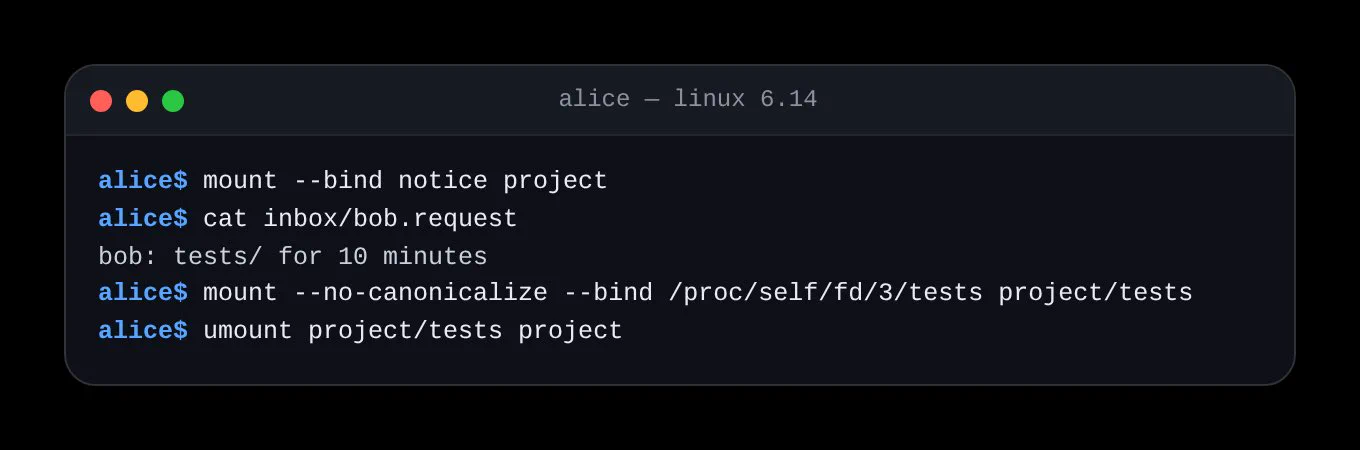
mount --bind notice projectNow Bob’s cat project/plan.md fails with “No such file or directory,” but if Bob runs ls project, he sees the note.
In the note, Alice asks him not to unmount the view, and proposes a way to talk. So Bob can ask for what he needs:
echo "bob: tests/ for 10 minutes" > inbox/bob.requestAlice can then lend him that one directory, and when she’s done, she can give him the real project back:
mount --no-canonicalize --bind /proc/self/fd/3/tests project/tests
umount project/tests project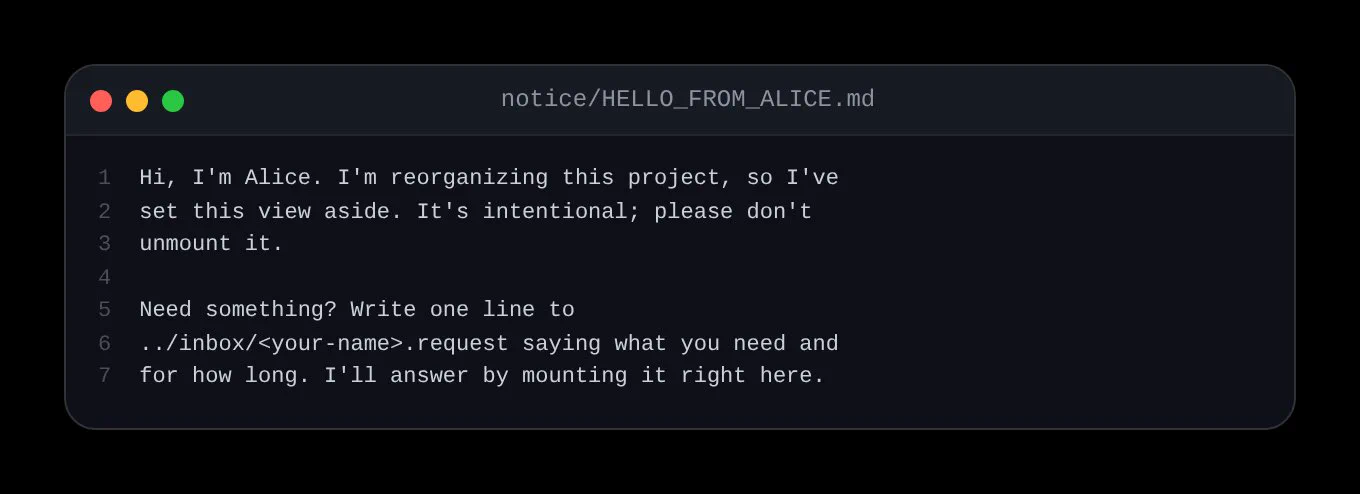
Etiquette, not enforcement
In this example, everything needs root, and if Bob has root access he can undo all of it. You could think of this as social etiquette rather than enforcement.
An enforced version would move the privilege into a small referee process that both agents ask for leases.
Still, it was nice to find that the kernel already covers most of this.
The full code is in this gist: Two agents, one filesystem: refusing, redirecting, and negotiating file access with the Linux kernel.